WhatsApp Automation for Diagnostic Labs: Send Reports, Reminders & Increase Patient Visits

Written By
Teja
Automate report sharing, test confirmations, and patient follow-ups using WhatsApp. Learn how diagnostic labs can reduce missed appointments, improve patient communication, and increase repeat visits with WhatsApp automation.
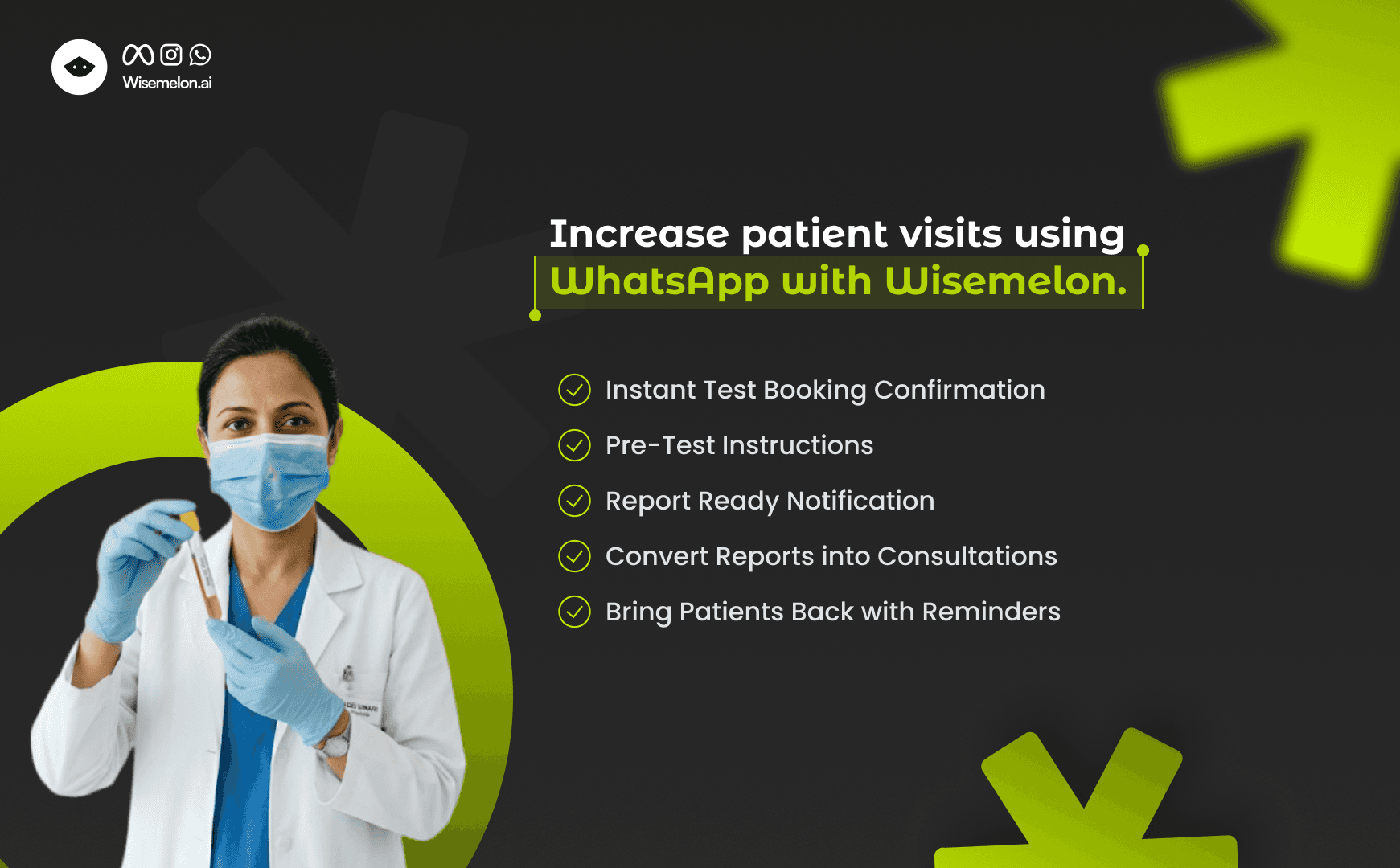
How Diagnostic Labs Can Use WhatsApp to Send Reports, Reminders & Increase Patient Visits
Diagnostic labs handle hundreds of patient interactions daily - from test bookings to report updates and follow-ups.
But most labs still rely on manual calls and scattered WhatsApp messages.
This leads to delays, missed follow-ups, and lost consultation opportunities.
Automation solves this.
Where Diagnostic Labs Lose Patients
Most labs lose patients due to simple communication gaps:
No instant confirmation after test booking
Patients not informed when reports are ready
No follow-up after report delivery
No push for doctor consultation
No re-engagement for future tests
As a result, patient experience drops - and repeat visits are lost.
Why Manual WhatsApp Doesn’t Work
Using regular WhatsApp creates limitations:
No automation
No tracking
No team collaboration
No patient segmentation
Everything depends on manual effort, which is not scalable.
Why Diagnostic Labs Need WhatsApp
Patients today expect fast and clear communication.
They don’t want to:
Call the lab for updates
Wait for SMS notifications
Visit again just to check report status
With WhatsApp, labs can:
Send instant test confirmations
Share reports directly
Notify patients in real time
Reduce incoming calls
What a Smart WhatsApp Flow Looks Like
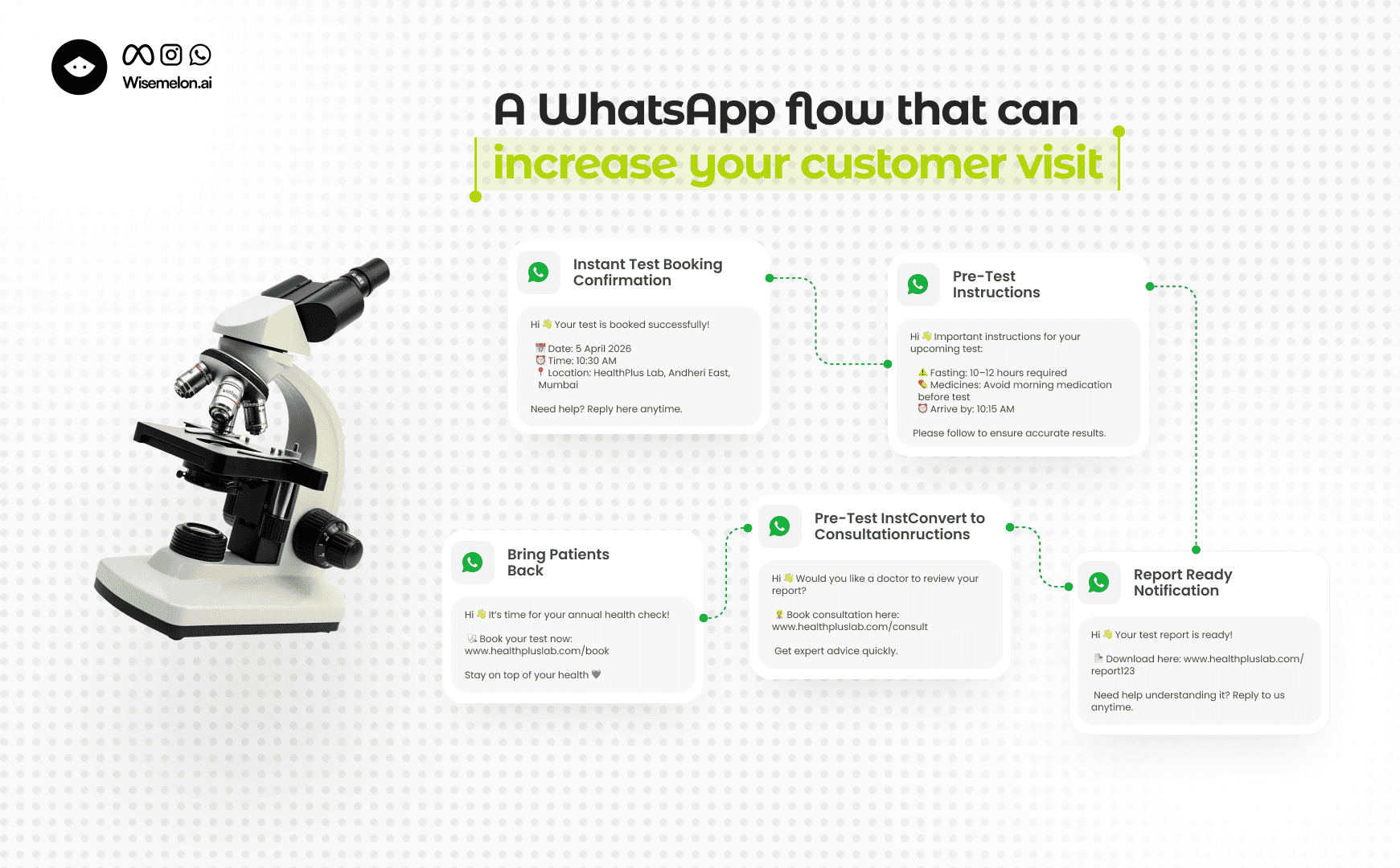
A structured WhatsApp automation flow for diagnostic labs:
Patient books a test
Instant WhatsApp confirmation is sent
Pre-test instructions are shared
Report ready notification is sent
Follow-up message with consultation option
Future test reminders (health checkups)
This entire journey runs automatically without manual effort.
See How It Works
Step 1: Instant Test Booking Confirmation
As soon as a patient books a test, send:
Booking details
Test date and time
Lab location
Contact support option
This builds trust and reduces confusion.
Step 2: Pre-Test Instructions
Many tests require preparation.
Automate messages like:
Fasting instructions
Medication guidelines
Arrival time reminders
This reduces rescheduling and improves accuracy.
Step 3: Report Ready Notification
Instead of patients calling repeatedly, send:
Instant report-ready alerts
Report link or PDF
Support option for queries
This improves efficiency and reduces workload.
Step 4: Convert Reports into Consultations
Most labs stop after sending reports - and lose revenue.
Add a simple follow-up:
“Would you like to consult a doctor regarding your report?”
Include a quick booking option.
This small step can significantly increase conversions.
Step 5: Bring Patients Back with Reminders
Don’t stop at one visit.
Use WhatsApp CRM to send:
Annual health check reminders
Diabetes and thyroid test reminders
Preventive screening alerts
This helps generate repeat visits consistently.
Why WhatsApp Business API is Better for Labs
The regular WhatsApp Business App is limited.
It does not support:
Automated workflows
Multiple staff access
Patient segmentation
Message tracking
With WhatsApp Business API platforms, labs can automate the entire patient journey.
Platforms like Wisemelon help manage bookings, reports, and follow-ups in one centralized system.
Final Thoughts
Diagnostic labs don’t just need messaging - they need a system.
Using WhatsApp for:
Report sharing
Patient notifications
Follow-ups
can significantly improve patient experience and operational efficiency.
Labs that adopt automation early will have a clear competitive advantage.
Newsletter
Enjoyed this read? Subscribe.
Discover design insights, project updates, and tips to elevate your work straight to your inbox.
Unsubscribe at any time
Written By
Teja
Updated on