WhatsApp Business Account Restricted? Causes & How to Fix It

Written By
Teja
WhatsApp Business account restricted? Learn the common causes, how to check your restriction, appeal it, recover your account, and prevent future restrictions.

WhatsApp Business Account Restricted? 9 Reasons, Fixes & Prevention Tips
You open WhatsApp Business and suddenly something isn't working.
Messages aren't sending.
A campaign has stopped.
Your API account shows a restriction.
Or you receive a notification saying your business account has been limited or disabled.
The first question is usually:
"Why did WhatsApp restrict my account?"
The answer isn't always one single violation.
WhatsApp restrictions can be related to policy violations, poor messaging quality, user reports, unusual activity, or problems with how the business is using the platform.
The good news is that a restriction doesn't always mean the account is permanently lost.
Here's what businesses should know.
WhatsApp Business App vs API Restrictions
First, it's important to separate the WhatsApp Business App from the WhatsApp Business Platform/API.
A business using the WhatsApp Business App can face restrictions related to WhatsApp's policies and usage.
An API-based business can also face restrictions affecting its business account, phone number, messaging ability, templates, or other platform capabilities.
The exact restriction matters.
For example, there is a big difference between:
A template being rejected
and
A phone number being restricted
and
A business account being disabled.
Don't treat all three as the same problem.
9 Common Reasons WhatsApp Business Accounts Get Restricted
1. Sending Unwanted Messages
One of the biggest risks is sending messages to people who don't expect to hear from your business.
If customers repeatedly report or block your messages, it can affect your messaging quality and account standing.
WhatsApp is designed around permission-based customer communication.
The goal shouldn't be:
"How many people can we message?"
It should be:
"How many people actually want to hear from us?"
2. Poor Customer Feedback
Your customers' reactions matter.
If people frequently:
Block your business
Report messages
Ignore your communication
Mark messages as unwanted
your messaging quality can suffer.
This is especially important for businesses running large campaigns.
A database of 100,000 phone numbers doesn't automatically mean you have a healthy audience of 100,000 WhatsApp contacts.
3. Using WhatsApp for Spam
Sending large volumes of repetitive or irrelevant messages can create problems.
For example:
"BIG OFFER!!! BUY NOW!!!"
sent repeatedly to customers who never requested marketing communication is very different from sending relevant updates to customers who have opted into receiving them.
Volume alone isn't the entire issue.
Relevance, customer expectation, and engagement matter too.
4. Violating WhatsApp Business Policies
Businesses must follow WhatsApp's Business Messaging Policies and Commerce Policies where applicable.
Restricted products, prohibited activities, misleading communication, and other policy violations can create account problems.
Before launching a campaign, businesses should check whether their industry, product, offer, and communication are permitted.
5. Misleading Customers
Your business communication should accurately represent what you're offering.
Problems can arise when businesses use:
Misleading claims
Fake offers
False urgency
Deceptive promotions
Misleading links
Impersonation
WhatsApp isn't simply another bulk messaging channel.
The quality and trustworthiness of the communication matter.
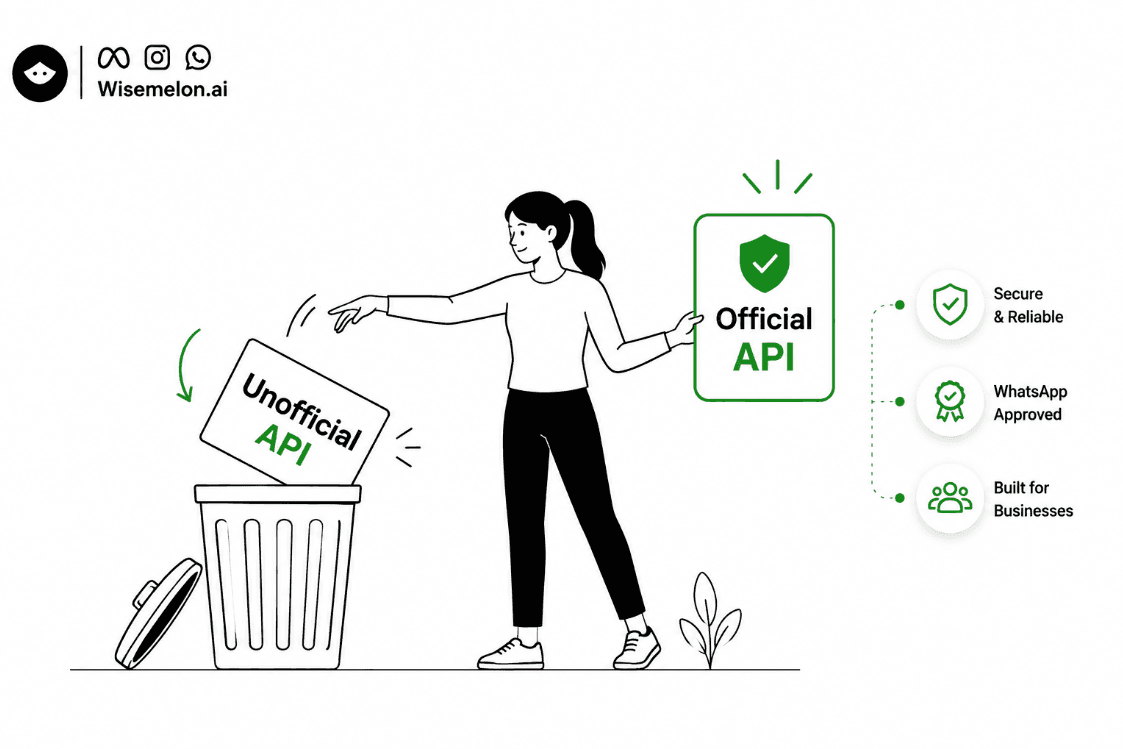
6. Sending Messages Through Unofficial APIs or Unsupported Methods
This is an important one.
Some tools claim to provide "WhatsApp API" access by automating WhatsApp Web, browser sessions, QR logins, or other unofficial methods.
Businesses should be careful.
There is a major difference between:
Official WhatsApp Business Platform
and
If WhatsApp is an important sales or customer-support channel, relying on unsupported methods can create unnecessary operational and account risk.
Instead, businesses should use an official WhatsApp Business API platform like Wisemelon when they need automation, campaigns, multiple agents, integrations, or customer journeys.
The point isn't that every unofficial tool will immediately get an account banned.
The point is that businesses should not build a critical customer-communication system on methods that aren't part of the official WhatsApp Business Platform.
7. Sudden or Unusual Messaging Activity
A business account that suddenly changes its messaging behaviour can attract attention.
For example:
A new number is connected.
↓
Thousands of messages are sent immediately.
↓
Many recipients don't respond.
↓
Large numbers of users block or report the business.
That is very different from gradually building a healthy customer communication operation.
Businesses should scale responsibly rather than treating a new WhatsApp number like a bulk SMS system.
8. Repeated Template or Messaging Problems
Businesses using the API need to follow WhatsApp's template and messaging requirements.
Repeatedly submitting poor-quality templates, using inappropriate categories, or creating messages that don't match their intended purpose can create problems.
Don't try to disguise promotional content as utility simply to reduce costs or bypass messaging rules.
The category should reflect the actual purpose of the communication.
9. Compromised or Misused Accounts
Sometimes the problem isn't your marketing strategy.
Your account may have been compromised or accessed by someone who shouldn't have access.
If unusual activity appears suddenly, review:
Admin access
Connected systems
API credentials
Team accounts
Automation
Recent campaigns
Account security should be treated as part of WhatsApp account health.
How to Tell Whether Your Number Is Restricted
A restriction can appear differently depending on the type of account and the issue.
You may notice:
Messages failing to send
Campaigns stopping
Templates being rejected
A warning inside WhatsApp or Meta Business tools
A phone number becoming unable to send messages
A business account being disabled
Reduced messaging capabilities
Don't immediately assume that a failed message means your entire WhatsApp account is banned.
First identify what exactly has been restricted.
Check the relevant WhatsApp Business or Meta Business interface for the notification, reason, and available actions.
What to Do When WhatsApp Restricts Your Account
The worst response is to immediately create another number and start sending the same campaign again.
Instead:
Step 1: Read the restriction notice
Find out what Meta says caused the restriction.
Step 2: Stop the activity that may have caused it
If a campaign, automation, or integration appears responsible, pause it while investigating.
Step 3: Review recent messaging
Look at:
Who received the messages
How they were collected
What they were told
What messages were sent
How frequently they were contacted
Whether people were blocking or reporting the business
Step 4: Check your integrations
If you're using third-party software, verify whether it uses the official WhatsApp Business Platform.
Step 5: Fix the underlying problem
Don't simply change the wording of one message if the larger issue is poor consent, irrelevant targeting, or excessive messaging.
Step 6: Use the available appeal/review process
If you believe the restriction was incorrect, use the review or appeal option provided by Meta.
Provide accurate information and explain what your business does and how the account is being used.
Can a Restricted WhatsApp API Account Be Recovered?
Sometimes, yes.
But there is no universal recovery method.
It depends on:
Why the restriction happened
Whether the violation can be corrected
Account history
Messaging quality
Business eligibility
The type of restriction
Meta's review decision
A temporary restriction and a permanent disablement are not the same thing.
If an appeal option is available, use the official process rather than relying on people selling "unban services."
How to Prevent WhatsApp Restrictions
The best time to fix account health is before there is a restriction.
Build a real opt-in process
Know where your WhatsApp contacts came from.
Don't treat every phone number in your CRM as permission to send WhatsApp marketing.
Send relevant messages
If customers signed up for product updates, don't suddenly send unrelated promotions every day.
Control frequency
More messages don't automatically mean more sales.
Too many messages can lead to blocks and reports.
Monitor customer feedback
Watch:
Blocks
Reports
Engagement
Template quality
Campaign performance
Use official WhatsApp APIs
If WhatsApp is an important business channel, use the official WhatsApp Business Platform rather than unofficial APIs or WhatsApp Web automation.
An official WhatsApp Business API platform like Wisemelon can provide the infrastructure for campaigns, automation, customer journeys, team inboxes, and integrations while keeping the communication workflow connected to the official platform.
Don't try to bypass WhatsApp rules
Changing numbers repeatedly, disguising message categories, or looking for workarounds isn't a sustainable WhatsApp strategy.
Fix the communication process instead.
WhatsApp Business Account Health Checklist
Before sending your next campaign, ask:
✓ Did the customer actually expect WhatsApp communication?
✓ Do we know where the phone number came from?
✓ Is our message relevant to the customer?
✓ Are we sending at a reasonable frequency?
✓ Are we monitoring blocks and reports?
✓ Are our templates correctly categorized?
✓ Are our campaigns following WhatsApp policies?
✓ Are we using the official WhatsApp Business Platform?
✓ Are our automation workflows sending unnecessary messages?
✓ Do we have a process for handling customer opt-outs?
✓ Are only authorized people and systems accessing the account?
If you can answer these questions confidently, you're already reducing many common account-risk factors.
What About Existing Customer Databases?
This is where many businesses make a mistake.
They have:
50,000 customer numbers
and assume:
50,000 WhatsApp marketing contacts.
Those aren't necessarily the same thing.
Before importing or using an existing database, understand:
How the number was collected
What the customer agreed to
Whether WhatsApp communication was expected
Whether the customer has opted out
Whether the data is still appropriate for the intended campaign
A clean, permission-based database is much more valuable than a large database filled with people who don't want your messages.
Don't Build Your WhatsApp Strategy Around Avoiding Restrictions
Some businesses approach WhatsApp with the wrong question:
"How can I send the maximum number of messages without getting banned?"
That's the wrong objective.
A better question is:
"How can I build a WhatsApp communication system customers actually want to interact with?"
That means:
Relevant audience
↓
Clear opt-in
↓
Useful communication
↓
Reasonable frequency
↓
Easy opt-out
↓
Healthy engagement
That is a much more sustainable approach.
Final Thoughts
A WhatsApp restriction can be disruptive, especially when the number is connected to sales, customer support, or marketing.
But most businesses shouldn't wait until something goes wrong to think about account health.
Use the official WhatsApp Business Platform.
Build proper opt-in processes.
Send relevant messages.
Monitor customer feedback.
Control message frequency.
And when something does go wrong, identify the actual restriction before trying random fixes.
WhatsApp works best when businesses treat it as a customer communication channel, not a bulk messaging shortcut.
Frequently Asked Questions
Why was my WhatsApp Business account restricted?
Common reasons can include unwanted messaging, poor customer feedback, policy violations, misleading communication, unusual activity, or problems with how the account or messaging system is being used.
What is the difference between a WhatsApp Business account being restricted and banned?
A restriction can limit specific messaging or account capabilities, while a ban or disablement can prevent the account or number from being used normally. The exact effect depends on the action Meta has taken.
Can a restricted WhatsApp API account be recovered?
It can sometimes be recovered depending on the reason for the restriction, account history, and Meta's review. If an official appeal or review option is available, businesses should use that process.
Can unofficial WhatsApp APIs cause account problems?
Using unofficial or unsupported methods creates unnecessary risk because they are not the same as using the official WhatsApp Business Platform. Businesses that depend on WhatsApp for customer communication should use an official API provider rather than building critical workflows around WhatsApp Web automation or unsupported APIs.
How can I prevent my WhatsApp Business account from being restricted?
Use proper customer opt-ins, send relevant messages, avoid excessive frequency, monitor blocks and reports, follow WhatsApp's policies, use approved templates correctly, and use the official WhatsApp Business Platform.
Does sending too many WhatsApp messages automatically get an account banned?
Not necessarily. Message volume is only one part of account health. Customer feedback, messaging quality, policy compliance, engagement, and the way messages are sent also matter.
Should I create a new WhatsApp number if my account is restricted?
Not as your first response. First understand why the restriction happened and use the available review or appeal process. Creating another number without fixing the underlying problem can simply recreate the same issue.
Newsletter
Enjoyed this read? Subscribe.
Discover design insights, project updates, and tips to elevate your work straight to your inbox.
Unsubscribe at any time
Written By
Teja
Updated on