Marketing
WhatsApp Display Name: What It Is, Why It Matters & How to Get Approved

Written By
Teja
Learn what a WhatsApp Display Name is, why Meta reviews it strictly, common rejection reasons, and how businesses can get their display name approved without delays.
WhatsApp Display Name: What It Is, Why It Matters & How to Get Approved
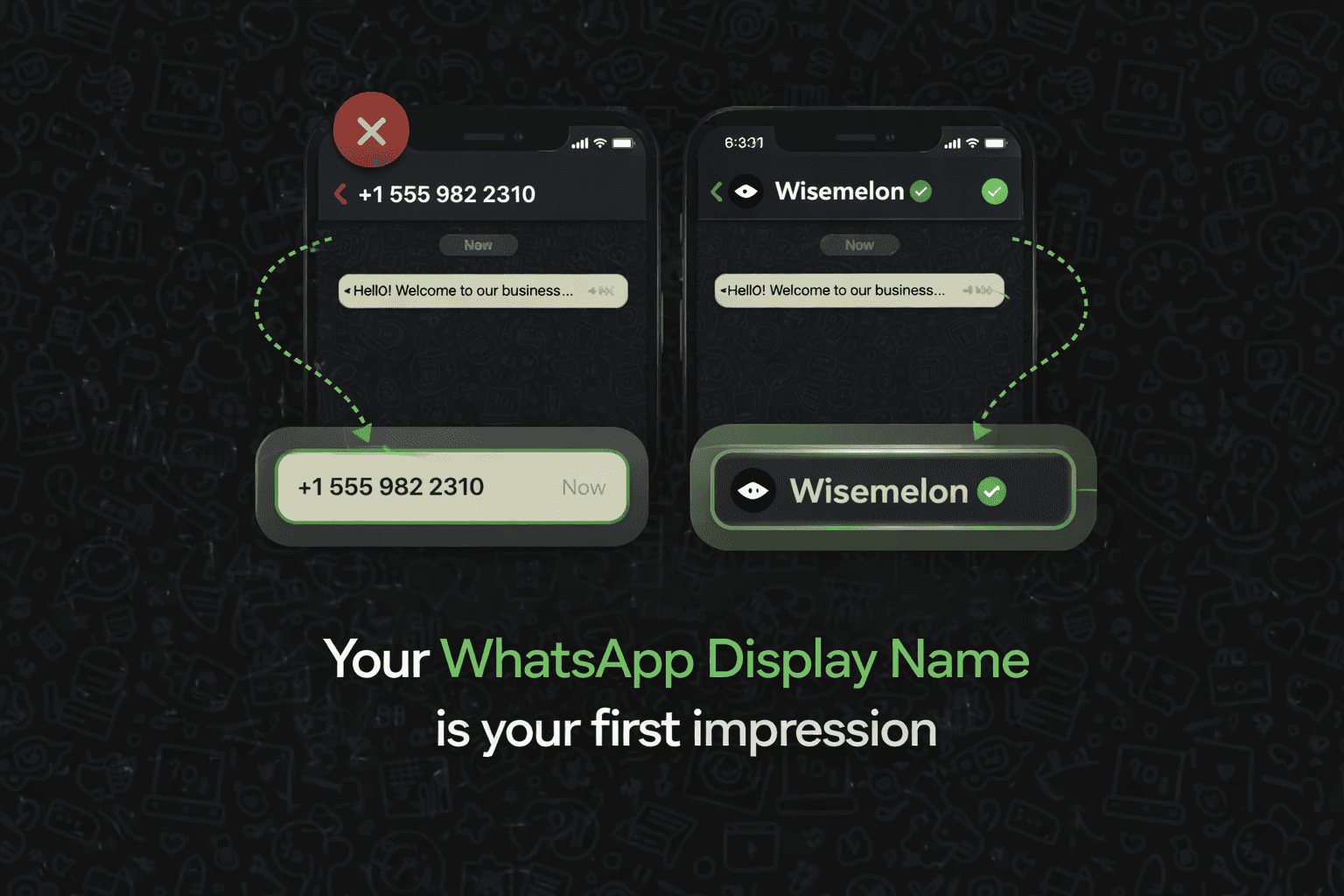
When a customer receives a message from your business on WhatsApp, the first thing they notice isn’t the message.
It’s your display name.
That single line decides whether your message feels trusted or ignored.
In this guide, we explain what a WhatsApp display name is, why Meta takes it seriously, and how businesses can get it approved without rejections.
What Is a WhatsApp Display Name?
A WhatsApp display name is the business name shown to users when you message them using the WhatsApp Business API.
Instead of seeing just a phone number, customers see a verified business name, helping them instantly recognize who is contacting them.
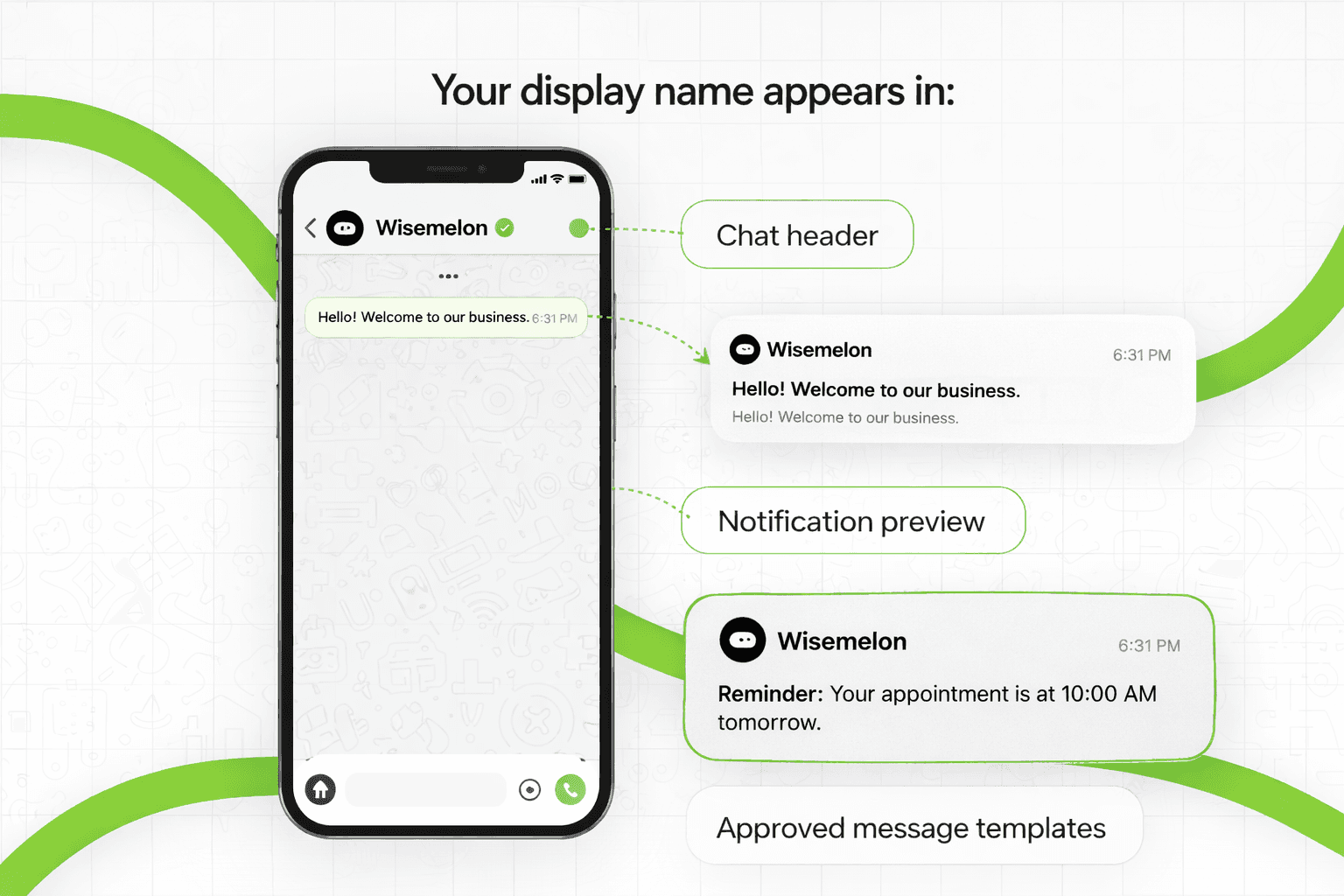
Your display name appears in:
The chat header
Notification previews
Approved message templates
Why WhatsApp Display Name Is Important for Businesses
Your display name directly impacts trust, open rates, and replies.
It matters because:
Customers open messages from recognizable brands
It reduces confusion with spam or unknown numbers
It keeps branding consistent across ads, website, and WhatsApp
Meta uses it as a key signal to verify legitimate businesses
If you run broadcasts or automation, a clear display name is non-negotiable.
WhatsApp Display Name Rules You Must Follow
Meta has strict policies. Even small mistakes can lead to rejection.
Your display name must:
Match your brand or legal business name
Be consistent across your website, Facebook Page, and documents
Avoid promotional words like Best, Official, No.1, Cheap, Free
Not include emojis, symbols, or phone numbers
Not impersonate another brand or platform
Common Reasons WhatsApp Display Names Get Rejected
1. Business Details Mismatch or Incomplete Verification
Display names are often rejected when business details are inconsistent or incomplete.
This includes:
Display name not matching your website, GST, or legal documents
Incomplete or unverified Facebook Business Manager setup
Missing website, address, or linked Facebook Page
Mismatch between Facebook Page name and display name
If Meta can’t clearly verify your business identity, approval may fail.
2. Invalid or Non-Compliant Display Names
Display names may also be rejected if they don’t follow naming standards.
Common issues include:
Using generic or role-based names like Customer Support or Sales Team
Writing names in ALL CAPS or unusual capitalization
Adding promotional words like Official, Best, Free, 24x7
Your display name should reflect a real brand name, written cleanly and naturally.
3. Generic, Promotional, or Unclear Brand Names
Names that look promotional or hard to verify are frequently declined.
This includes:
Adding terms like .com, .in, Online, Store
Using only business categories such as Online Store or Diagnostic Center
Websites that don’t clearly show the brand name or logo
If Meta can’t confidently connect the name to a real brand, approval is unlikely.
How to Get Your WhatsApp Display Name Approved
Follow this simple process:
Finalize your exact business name
Ensure the same name appears on:
Your website
Facebook Business Page
GST or legal documents (if applicable)
Submit the display name during WhatsApp Business API setup
Wait for Meta review (usually 24–72 hours)
If everything matches, approval is usually smooth.
Can You Change Your WhatsApp Display Name Later?
Yes, but every change requires another Meta review.
That’s why it’s best to:
Choose a long-term brand name
Avoid campaign-based or temporary names
Keep branding consistent everywhere
Frequent changes can delay campaigns and automation.
How Wisemelon Helps With WhatsApp Display Name Approval
Most rejections happen due to small setup mistakes, not rule violations.
Wisemelon helps by:
Guiding you on the correct display name format
Checking brand consistency before submission
Assisting with Meta verification and onboarding
Reducing approval delays so you go live faster
This ensures your WhatsApp number is ready for broadcasts, automation, and customer conversations without friction.
Final Thoughts
Your WhatsApp display name isn’t just a label.
It’s your first impression.
Get it right, and customers trust you before you even say hello.
Get it wrong, and messages go unread.
If you’re setting up WhatsApp Business API or planning campaigns, start with the display name.
Newsletter
Enjoyed this read? Subscribe.
Discover design insights, project updates, and tips to elevate your work straight to your inbox.
Unsubscribe at any time
Written By
Teja
Updated on