Cart abandonment is one of the biggest challenges for any Shopify store. Customers browse products, add items to their cart, and then leave without completing the purchase. This results in lost revenue, wasted marketing spend, and missed growth opportunities.
The good news is - abandoned carts can be recovered. And one of the most effective ways to do this is through WhatsApp automation.
What is Cart Abandonment in Shopify
Cart abandonment happens when a customer adds products to their cart but does not complete the checkout process. This is extremely common in eCommerce.
A large percentage of Shopify store visitors never complete their purchase unless they are reminded or retargeted properly.
Why Shopify Stores Lose Abandoned Carts
There are several reasons why customers abandon carts:
Unexpected shipping costs
Complicated checkout process
Payment issues
Distractions or hesitation
Lack of urgency
Without a proper follow-up system, these potential customers are lost permanently.
Why Email and SMS Are Not Enough
Most Shopify stores try to recover abandoned carts using:
Email reminders
SMS notifications
However:
Emails often go unread
SMS has low engagement and limited personalization
This is where WhatsApp becomes powerful.
Why Use WhatsApp for Abandoned Cart Recovery
WhatsApp has significantly higher open and response rates compared to traditional channels.
With WhatsApp, you can:
Reach customers instantly
Send personalized messages
Create urgency with offers
Provide direct checkout links
This increases the chances of recovering lost sales.
How WhatsApp Automation Works for Shopify
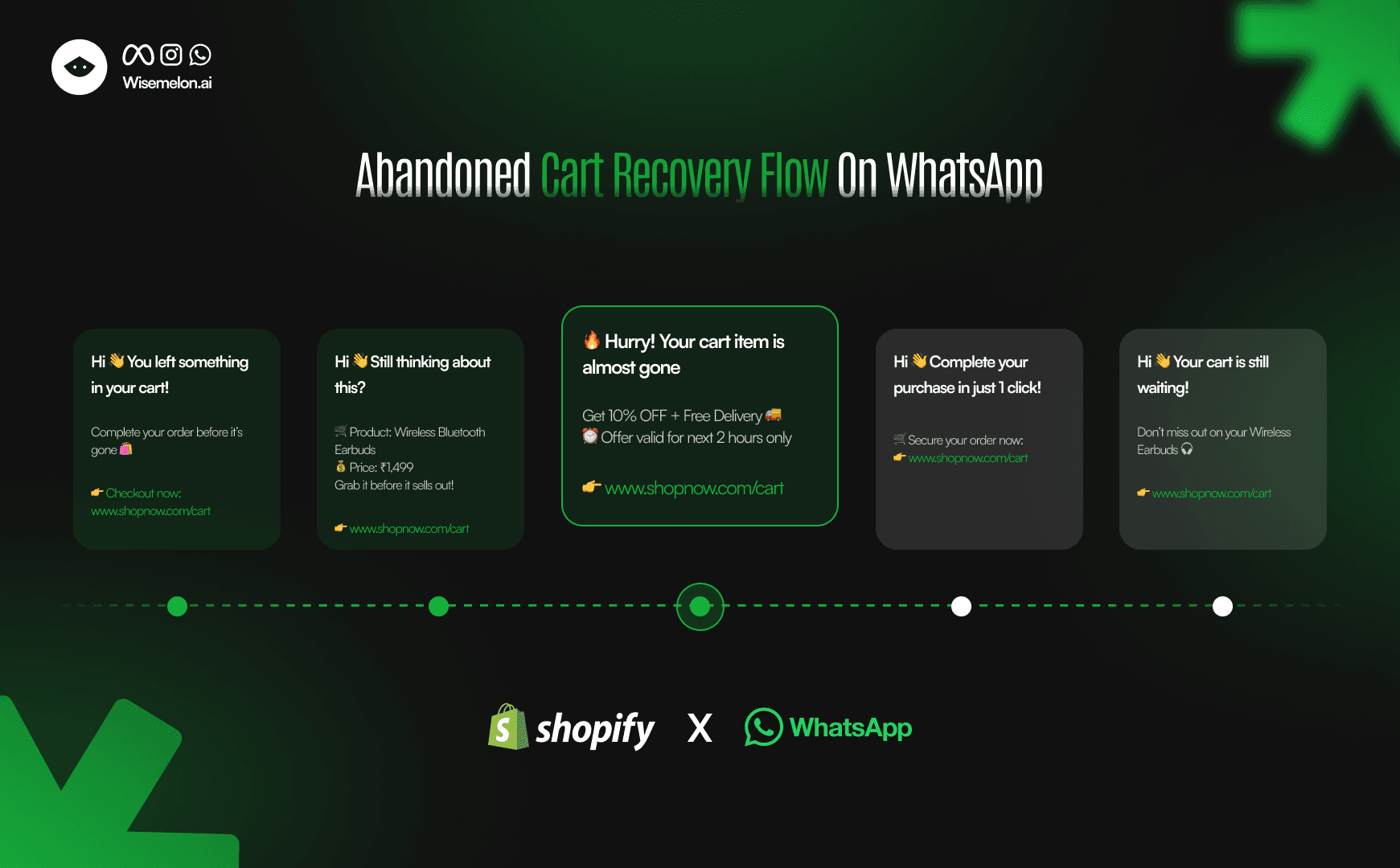
A simple WhatsApp abandoned cart recovery flow looks like this:
Customer adds product to cart but does not checkout
Automated WhatsApp message is triggered within minutes
Reminder message is sent with product details
Optional offer or discount is included
Direct checkout link is shared
This entire process happens automatically.
Step-by-Step WhatsApp Abandoned Cart Recovery Flow
Step 1: Instant Reminder Message
Send a message within 5–10 minutes after cart abandonment. This captures the customer while intent is still high.
Step 2: Add Product Context
Include:
Product name
Price
Image (if possible)
This helps the customer recall their interest.
Step 3: Create Urgency
Add a limited-time offer like:
Discount
Free shipping
Limited stock message
Urgency increases conversions.
Step 4: Provide Direct Checkout Link
Make it easy for the customer to complete the purchase. One-click checkout links reduce friction.
Step 5: Follow-Up Reminder
If the customer doesn’t convert:
Send a second reminder after a few hours
Send a final reminder the next day
This improves recovery rates.
Benefits of Using WhatsApp for Shopify Stores
When implemented correctly, WhatsApp automation helps you:
Recover lost revenue from abandoned carts
Increase overall conversion rates
Reduce dependency on ads
Improve customer experience
Build direct communication with customers
Advanced Use Cases for Shopify Stores
Beyond cart recovery, WhatsApp can also be used for:
COD confirmation and prepaid conversion
Order updates and delivery notifications
Product recommendations and upselling
Customer feedback and review collection
Retargeting campaigns
This makes it a complete growth channel, not just a messaging tool.
Choosing the Right WhatsApp Solution
The regular WhatsApp Business app is not enough for scaling.
To automate abandoned cart recovery, you need:
Automated workflows
Integration with Shopify
Customer segmentation
Performance tracking
This is possible through WhatsApp Business API platforms.
Tools like Wisemelon help Shopify stores automate communication, recover carts, and increase revenue from a single dashboard.
Final Thoughts
Abandoned carts are not lost customers - they are missed opportunities.
With the right system in place, you can recover a significant portion of these sales.
WhatsApp automation gives Shopify stores a direct, fast, and effective way to bring customers back and increase conversions.
If you’re serious about growing your Shopify store, setting up an automated abandoned cart recovery system is no longer optional - it’s essential.