01 · Appointments
Know what’s coming next.
Upcoming appointment
Dr. Mehta
10 Oct · 10:30 AM
Follow-up consultation
Appointments stay connected to the patient’s overall journey.
Explore Patient JourneysPatient OS · Patient 360
Bring patient information, interactions, appointments, requests and journey context together in one connected view — so every team understands the patient before they act.

The patient story
A patient may have an appointment, a conversation, a request and a follow-up — but the information can sit in different places. Patient 360 brings it together.
Patient 360
Complete patient context
Patient context
See who the patient is, what has happened, what’s happening now and what needs attention.
Patient information
Upcoming appointment
10 Oct · 10:30 AM
Dr. Mehta · Follow-up consultation
Recent interaction
Conversation started
Yesterday · 3:52 PM
Open request
Report request
In progress Diagnostics
Confirmed A reminder goes out the day before and the morning of.
Open request
Report not received
Patient 360 holds the context. Ticketing owns the resolution.
Patient history
Know what happened, what’s happening now and what comes next.
Your team gets the full story before they respond.
In the moment
Appointments, conversations and requests stay connected to the same patient.
Patient context
Upcoming appointment
Dr. Mehta
10 Oct · 10:30 AM
Follow-up consultation
Previous visit04 Sep
The next interaction starts with context — not a blank screen.
From context to action
Patient 360 gives the team the context behind what needs to happen next. The step itself belongs to the product built for it.
01 · Appointments
Dr. Mehta
10 Oct · 10:30 AM
Follow-up consultation
Appointments stay connected to the patient’s overall journey.
Explore Patient Journeys02 · Education
Your upcoming procedure
Patient context helps deliver information that matters to the patient.
Explore Patient Education03 · Ticketing
Report not received
Requests stay connected to the patient while Ticketing manages the work.
Explore TicketingSee how Wisemelon brings patient context together for your teams.
For every team
Give authorised teams the information they need to work with the same patient from their own point of view.
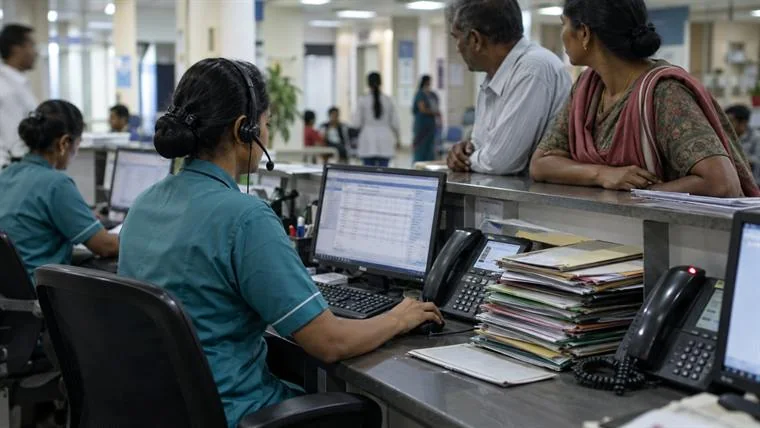

One record. Each team sees the part of it they are authorised to work with.

Whole hospitals run this way in Hospital Management; single sites in Clinic Management.
From knowing to doing
When something needs to happen, Patient 360 gives the workflow the context it needs.
Patient 360 provides the context. Workflow Orchestration manages the work.
From one patient to the bigger picture
Patient-level context can contribute to broader insights across patient experience and healthcare operations.
Patient OS
Start with patient context, then connect every interaction that follows.
FAQ
Patient 360 gives healthcare teams one connected view of a patient’s relevant information, interactions, appointments, requests and journey.
Teams can see relevant patient details, activity, appointments, interactions, requests, journey status and other information available through connected systems and authorised access.
It helps teams understand the patient’s situation without searching across different conversations, departments and systems.
Patient 360 includes some CRM-like capabilities, but it is designed around the healthcare relationship and the patient’s journey across the organisation.
Yes. Appointment information can be connected to the patient’s broader context and journey.
Yes. Patient requests can remain connected to the patient’s profile and context while Ticketing manages the request and its resolution.
Patient 360 provides the patient context that can help determine what information may be relevant. Patient Education handles the actual education experience.
Patient 360 helps teams understand an individual patient. Patient Intelligence analyses patient activity and behaviour across patients and journeys to identify broader patterns and insights.
Bring patient context together with Wisemelon Patient 360.
Next Patient Communication Turn patient context into connected conversations.