01
Doctor & clinic owner
Visibility without getting involved in every operational conversation.
- Patient activity
- Pending requests
- Follow-ups
- Communication
- Clinic performance
Clinic Management
Connect every patient interaction — from the first enquiry to the next visit.
Bring enquiries, appointments, front-desk conversations, patient requests, report sharing, education, follow-ups and feedback into one connected patient journey.
Works around your existing clinical and billing systems, connecting the communication and workflows that happen before, during and after care.
The big picture
A patient’s experience with a clinic doesn’t begin when they enter the consultation room. It starts with a question.
“Is the doctor available tomorrow?”
Then comes the appointment, the reminder, the visit, the report, the follow-up — and eventually, the next appointment. Every interaction is part of the patient experience.
Enquire
Patients may reach the clinic through WhatsApp, website forms, Instagram, phone calls or other channels.
Instead of conversations becoming scattered across different places, they come together around the patient.
Latest message“Need to reschedule tomorrow’s appointment.”
Next action Follow up tomorrow
Front desk
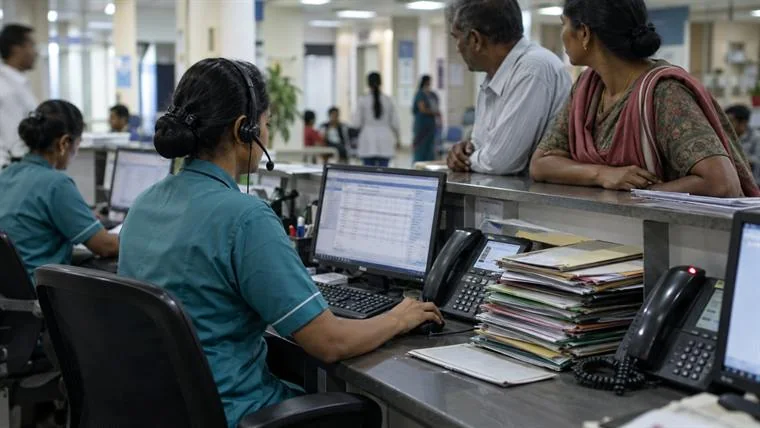
The front desk shouldn’t have to search through conversations, spreadsheets and separate systems to understand what a patient needs.
Give every conversation the context behind it.
Every conversation has context. Every request has an owner.
Automate the routine
Patients ask the same operational questions every day.
Routine questions can be handled automatically, while conversations that need a person can move to the right team member.
Automation supports the team. It does not replace the relationship.
The same agents run across the rest of the platform — see AI Agents.
AI & automationHuman when needed
Before the visit
Once the appointment is booked, the patient receives the information they need to arrive prepared.
Keep patients informed, prepared and less dependent on the front desk for routine questions.
The full pre-visit journey is covered in Pre-Visit.
During the visit

Update sent 15 minutes · WhatsApp
When the clinic gets busy, timely updates can keep patients informed without adding another task to the front desk.
After the visit
The patient journey continues after the consultation. Reports, instructions, educational content and next steps stay connected to the same communication journey.
ReportUnderstandAct
Follow up
Important follow-ups shouldn’t depend on someone remembering to send a message. Keep the patient journey moving with timely communication and automated follow-up workflows.
Patient experience
Feedback becomes part of the patient relationship, giving the clinic a clearer view of how patients experience communication and service.
ExperienceFeedbackInsightImprovement
4.8average rating
“The team kept me informed throughout my visit.”
Clinic visibility
Bring patient communication and operational activity into a clearer view for the people running the clinic.
See where patients are moving — and where they are getting stuck.
The figures shown are illustrative interface examples, not Wisemelon customer results.
Who uses it
01
Visibility without getting involved in every operational conversation.
02
A clear workspace for conversations and patient requests.
03
A view across people, workflows and patient engagement.
04
A consistent way to keep patients informed.
05
A connected path from enquiry to appointment and return visit.
Where it fits
Your clinical records, billing and core operational systems continue to run the processes they were built for. The communication and engagement layer sits around them — connecting the interactions that happen before, during and after care.
Existing clinic systems
Patient communication & workflow layer
Patient
Keep your core systems. Connect the patient journey around them.
Larger organisations can carry the same layer across departments with Hospital Management, and clinics operating in more than one place can use Multi-Location Management for centralised visibility.
The whole page, in one story
One connected patient journey, across every interaction.
FAQ
Clinic management software helps organise the operational and patient-facing activities around a clinic, such as appointments, patient communication, front-desk workflows, follow-ups and reporting.
Wisemelon provides a patient engagement and communication layer for clinics, connecting conversations, appointments, front-desk workflows, automated journeys, report sharing, education, follow-ups and feedback.
Yes. Patient conversations from supported channels can be brought into a shared workspace where teams can view context, assign conversations and manage follow-up actions.
Yes. The patient workspace can bring together conversations, appointment context, requests, assignments, notes and follow-up actions so reception teams can work with more context.
Appointment-related communication can be automated through configured workflows, including confirmations, reminders and other patient notifications.
Report-sharing workflows can be used to communicate available documents and relevant information to patients through supported communication channels.
Yes. Educational content can be incorporated into patient communication and follow-up journeys.
Yes. Follow-up workflows can be configured around events, appointments and other patient journey stages.
No. Wisemelon is a communication, patient engagement and workflow layer that works around existing clinical and operational systems.
Yes. Operational and communication analytics can provide visibility into conversations, requests, response activity, follow-ups and other configured KPIs.
Yes. Multi-Location Management provides centralised visibility and management across connected locations.
From the first enquiry to the next appointment, give your clinic a clearer way to communicate, coordinate and stay connected with patients.